> ## Documentation Index
> Fetch the complete documentation index at: https://developers.dwolla.com/llms.txt
> Use this file to discover all available pages before exploring further.
# Transfer Money Between Users
> Facilitate ACH transfers between two distinct parties, e.g. for marketplace applications that connect buyers with sellers for bank to bank payments.
## Overview
The most common scenario for this guide is to facilitate marketplace or peer-to-peer transfers between your customers.
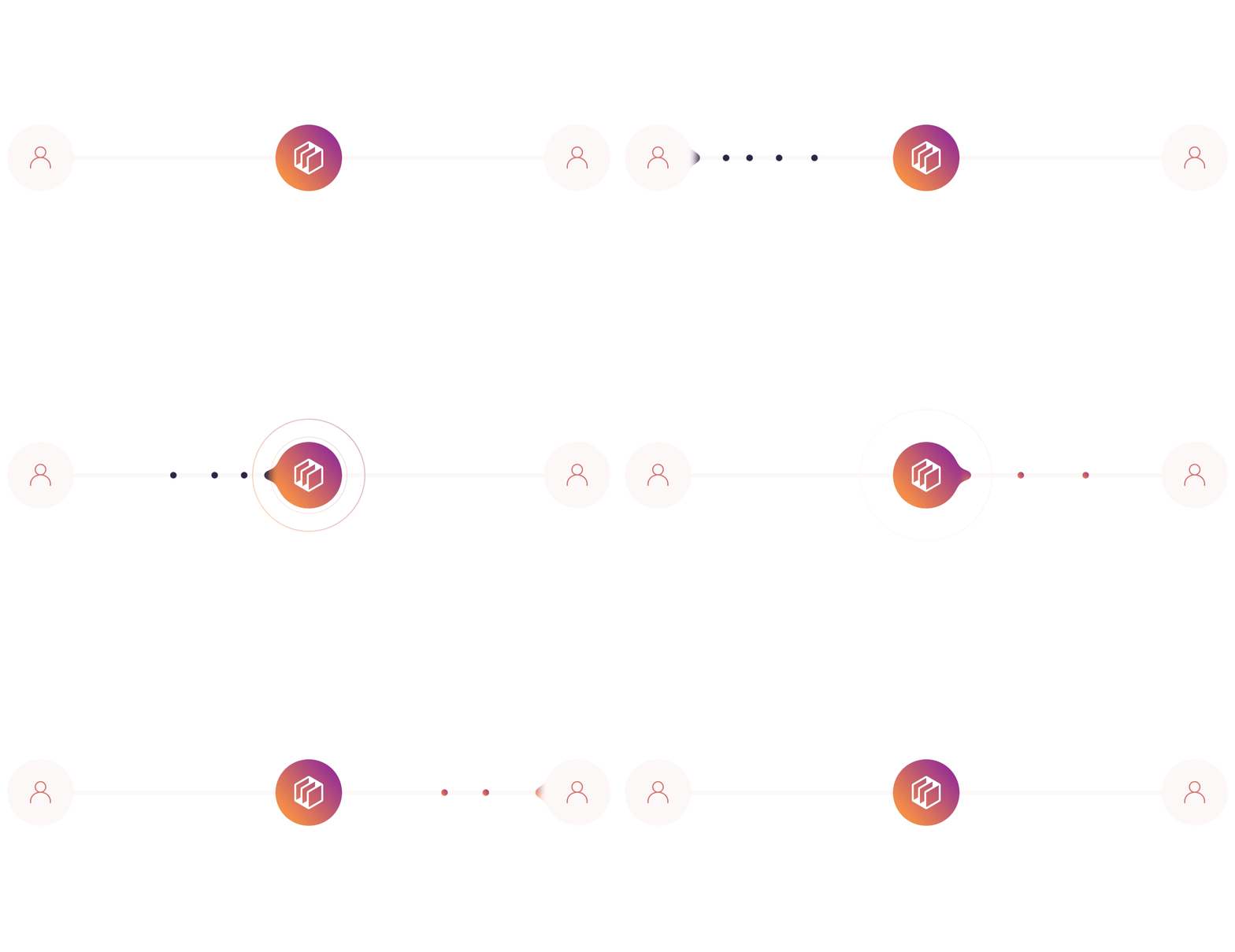 In this guide, we'll cover the key points of transferring money:
Create a Verified Customer in your application to act as the recipient of the funds.
Create an Unverified Customer who will initiate and send the funds.
Link and verify a bank or credit union account to the sender's profile to enable sending funds.
Link a bank or credit union account to the recipient's profile (verification not required for receiving funds).
Initiate a transfer from the sender's verified funding source to the recipient's funding source using the Dwolla API.
Certain use cases involving transfers between users, such as peer-to-peer payments, may require additional review to ensure alignment with Dwolla's risk policies. Before you start building, contact our Sales team to confirm that your use case is supported.
## Before you begin
You need to have a [Sandbox account](/docs/testing) already set up.
## Verified and Unverified Customers
Here are some rules to keep in mind:
1. With a transfer of money, at least one party must complete the [identity verification process](https://www.dwolla.com/updates/guide-customer-identification-program-payments-api/), either the sender or the receiver. It's your decision about which party completes this process, based on your business model, and you may want to have both parties complete the identity verification process.
2. The sender must have a verified funding source. Unverified funding sources can only receive money, not send.
In this guide, we'll create two Customers: one to represent a seller and one to represent a buyer. In this scenario, the seller, Jane Merchant, is a `Verified Customer` with an unverified funding source. The buyer, Joe Buyer, is an `Unverified Customer` with a verified funding source.
This is a suggested approach and there are other ways you can implement your
marketplace transfers. For instance, both the sender and the receiver (or
buyer and seller) could be
In this guide, we'll cover the key points of transferring money:
Create a Verified Customer in your application to act as the recipient of the funds.
Create an Unverified Customer who will initiate and send the funds.
Link and verify a bank or credit union account to the sender's profile to enable sending funds.
Link a bank or credit union account to the recipient's profile (verification not required for receiving funds).
Initiate a transfer from the sender's verified funding source to the recipient's funding source using the Dwolla API.
Certain use cases involving transfers between users, such as peer-to-peer payments, may require additional review to ensure alignment with Dwolla's risk policies. Before you start building, contact our Sales team to confirm that your use case is supported.
## Before you begin
You need to have a [Sandbox account](/docs/testing) already set up.
## Verified and Unverified Customers
Here are some rules to keep in mind:
1. With a transfer of money, at least one party must complete the [identity verification process](https://www.dwolla.com/updates/guide-customer-identification-program-payments-api/), either the sender or the receiver. It's your decision about which party completes this process, based on your business model, and you may want to have both parties complete the identity verification process.
2. The sender must have a verified funding source. Unverified funding sources can only receive money, not send.
In this guide, we'll create two Customers: one to represent a seller and one to represent a buyer. In this scenario, the seller, Jane Merchant, is a `Verified Customer` with an unverified funding source. The buyer, Joe Buyer, is an `Unverified Customer` with a verified funding source.
This is a suggested approach and there are other ways you can implement your
marketplace transfers. For instance, both the sender and the receiver (or
buyer and seller) could be Verified Customers, and both could
have verified funding sources. Or, you could have the sender undergo identity
verification but not the recipient.
Looking to learn more about each Customer type and how it relates to your funds flow? Take a look at our [Customer types](/docs/customer-types) article for more information.
# Step 1 - Create a Verified Customer
First, we'll create a `Verified Customer` for Jane Merchant.
There are two types of Verified Customers you can create; [Personal Verified Customers](/docs/personal-verified-customer) and [Business Verified Customers.](/docs/business-verified-customer) In this example, we use [Business Verified Customers](/docs/business-verified-customer) (sole proprietorship) to represent the merchant who will be receiving funds.
```bash HTTP theme={"dark"}
POST https://api-sandbox.dwolla.com/customers
Content-Type: application/vnd.dwolla.v1.hal+json
Accept: application/vnd.dwolla.v1.hal+json
Authorization: Bearer 0Sn0W6kzNic+oWhDbQcVSKLRUpGjIdl/YyrHqrDDoRnQwE7Q
{
"firstName": "Jane",
"lastName": "Merchant",
"email": "solePropBusiness@email.com",
"ipAddress": "143.156.7.8",
"type": "business",
"dateOfBirth": "1980-01-31",
"ssn": "6789",
"address1": "99-99 33rd St",
"city": "Some City",
"state": "NY",
"postalCode": "11101",
"businessClassification": "9ed3f670-7d6f-11e3-b1ce-5404a6144203",
"businessType": "soleProprietorship",
"businessName":"Jane Corp",
"ein":"00-0000000"
}
HTTP/1.1 201 Created
Location: https://api-sandbox.dwolla.com/customers/62c3aa1b-3a1b-46d0-ae90-17304d60c3d5
```
```php create_verified_customer.php theme={"dark"}
create([
'firstName' => 'Jane',
'lastName' => 'Merchant',
'email' => 'solePropBusiness@email.com',
'ipAddress' => '143.156.7.8',
'type' => 'business',
'dateOfBirth' => '1980-01-31',
'ssn' => '6789',
'address1' => '99-99 33rd St',
'city' => 'Some City',
'state' => 'NY',
'postalCode' => '11101',
'businessClassification' => '9ed3f670-7d6f-11e3-b1ce-5404a6144203',
'businessType' => 'soleProprietorship',
'businessName' => 'Jane Corp',
'ein' => '00-0000000']);
?>
```
```ruby create_verified_customer.rb theme={"dark"}
# Using DwollaV2 - https://github.com/Dwolla/dwolla-v2-ruby (Recommended)
request_body = {
:firstName => 'Jane',
:lastName => 'Merchant',
:email => 'solePropBusiness@email.com',
:ipAddress => '143.156.7.8',
:type => 'business',
:dateOfBirth => '1980-01-31',
:ssn => '6789',
:address1 => '99-99 33rd St',
:city => 'Some City',
:state => 'NY',
:postalCode => '11101',
:businessClassification => '9ed3f670-7d6f-11e3-b1ce-5404a6144203',
:businessType => 'soleProprietorship',
:businessName => 'Jane Corp',
:ein => '00-0000000'
}
customer = app_token.post "customers", request_body
customer.response_headers[:location] # => "https://api-sandbox.dwolla.com/customers/62c3aa1b-3a1b-46d0-ae90-17304d60c3d5"
```
```python create_verified_customer.py theme={"dark"}
# Using dwollav2 - https://github.com/Dwolla/dwolla-v2-python (Recommended)
request_body = {
'firstName': 'Jane',
'lastName': 'Merchant',
'email': 'solePropBusiness@email.com',
'ipAddress': '143.156.7.8',
'type': 'business',
'dateOfBirth': '1980-01-31',
'ssn': '6789',
'address1': '99-99 33rd St',
'city': 'Some City',
'state': 'NY',
'postalCode': '11101',
'businessClassification': '9ed3f670-7d6f-11e3-b1ce-5404a6144203',
'businessType': 'soleProprietorship',
'businessName': 'Jane Corp',
'ein': '00-0000000'
}
customer = app_token.post('customers', request_body)
customer.headers['location'] # => 'https://api-sandbox.dwolla.com/customers/62c3aa1b-3a1b-46d0-ae90-17304d60c3d5'
```
```javascript create_verified_customer.js theme={"dark"}
var requestBody = {
firstName: "Jane",
lastName: "Merchant",
email: "solePropBusiness@email.com",
ipAddress: "143.156.7.8",
type: "business",
dateOfBirth: "1980-01-31",
ssn: "6789",
address1: "99-99 33rd St",
city: "Some City",
state: "NY",
postalCode: "11101",
businessClassification: "9ed3f670-7d6f-11e3-b1ce-5404a6144203",
businessType: "soleProprietorship",
businessName: "Jane Corp",
ein: "00-0000000",
};
dwolla
.post("customers", requestBody)
.then((res) => res.headers.get("location")); // => 'https://api-sandbox.dwolla.com/customers/62c3aa1b-3a1b-46d0-ae90-17304d60c3d5'
```
When the customer is created, you'll receive the customer URL in the location header.
There are various reasons a Verified Customer will result in a status other than verified which you will want to account for after the Customer is created. Reference the Customer verification resource article for more information on handling verification statuses.
# Step 2 - Create unverified funding source
Next, we'll add Jane Merchant's bank or credit union account as an unverified funding source. Unverified funding sources can only receive funds, not send.
The example below shows sample bank information, but you will include actual bank name, routing, and account numbers after prompting your customer for this information within your application. Possible values for `bankAccountType` can be either "checking" or "savings". More detail is available in [API docs](/docs/api-reference/funding-sources/create-customer-funding-source).
```bash HTTP theme={"dark"}
POST https://api-sandbox.dwolla.com/customers/AB443D36-3757-44C1-A1B4-29727FB3111C/funding-sources
Content-Type: application/vnd.dwolla.v1.hal+json
Accept: application/vnd.dwolla.v1.hal+json
Authorization: Bearer 0Sn0W6kzNicvoWhDbQcVSKLRUpGjIdlPSEYyrHqrDDoRnQwE7Q
{
"routingNumber": "222222226",
"accountNumber": "123456789",
"bankAccountType": "checking",
"name": "Jane Merchant"
}
HTTP/1.1 201 Created
Location: https://api-sandbox.dwolla.com/funding-sources/375c6781-2a17-476c-84f7-db7d2f6ffb31
```
```ruby create_unverified_funding_source.rb theme={"dark"}
customer_url = 'https://api-sandbox.dwolla.com/customers/62c3aa1b-3a1b-46d0-ae90-17304d60c3d5'
request_body = {
routingNumber: '222222226',
accountNumber: '123456789',
bankAccountType: 'checking',
name: 'Jane Merchant'
}
# Using DwollaV2 - https://github.com/Dwolla/dwolla-v2-ruby (Recommended)
funding_source = app_token.post "#{customer_url}/funding-sources", request_body
funding_source.response_headers[:location] # => "https://api-sandbox.dwolla.com/funding-sources/375c6781-2a17-476c-84f7-db7d2f6ffb31"
```
```javascript create_unverified_funding_source.js theme={"dark"}
var customerUrl =
"https://api-sandbox.dwolla.com/customers/62c3aa1b-3a1b-46d0-ae90-17304d60c3d5";
var requestBody = {
routingNumber: "222222226",
accountNumber: "123456789",
bankAccountType: "checking",
name: "Jane Merchant",
};
dwolla
.post(`${customerUrl}/funding-sources`, requestBody)
.then((res) => res.headers.get("location")); // => 'https://api-sandbox.dwolla.com/funding-sources/375c6781-2a17-476c-84f7-db7d2f6ffb31'
```
```python create_unverified_funding_source.py theme={"dark"}
customer_url = 'https://api-sandbox.dwolla.com/customers/62c3aa1b-3a1b-46d0-ae90-17304d60c3d5'
request_body = {
'routingNumber': '222222226',
'accountNumber': '123456789',
'bankAccountType': 'checking',
'name': 'Jane Merchant'
}
# Using dwollav2 - https://github.com/Dwolla/dwolla-v2-python (Recommended)
customer = app_token.post('%s/funding-sources' % customer_url, request_body)
customer.headers['location'] # => 'https://api-sandbox.dwolla.com/funding-sources/375c6781-2a17-476c-84f7-db7d2f6ffb31'
```
```php create_unverified_funding_source.php theme={"dark"}
createCustomerFundingSource(array (
'routingNumber' => '222222226',
'accountNumber' => '123456789',
'bankAccountType' => 'checking',
'name' => 'Jane Merchant',
), $customer
);
print($new_fs); # => https://api-sandbox.dwolla.com/funding-sources/375c6781-2a17-476c-84f7-db7d2f6ffb31
?>
```
The created funding source URL is returned in the Location header.
# Step 3 - Creating an Unverified Customer
Now that we've created a customer for Jane Merchant and associated a funding source, we'll do the same for Joe Buyer, but this time we'll create an `Unverified Customer`, and a verified funding source which is capable of sending money.
Provide the user's full name, email address, and IP address to create the Customer. More detail is available in [API docs](https://developers.dwolla.com/api-reference/customers).
Provide the IP address of the end user accessing your application as the ipAddress parameter. This enhances Dwolla's ability to detect fraud.
```bash HTTP theme={"dark"}
POST https://api-sandbox.dwolla.com/customers
Content-Type: application/vnd.dwolla.v1.hal+json
Accept: application/vnd.dwolla.v1.hal+json
Authorization: Bearer 0Sn0W6kzNicvoWhDbQcVSKLRUpGjIdlPSEYyrHqrDDoRnQwE7Q
{
"firstName": "Joe",
"lastName": "Buyer",
"email": "jbuyer@mail.net"
}
HTTP/1.1 201 Created
Location: https://api-sandbox.dwolla.com/customers/247B1BD8-F5A0-4B71-A898-F62F67B8AE1C
```
```ruby create_unverified_customer.rb theme={"dark"}
request_body = {
:firstName => 'Joe',
:lastName => 'Buyer',
:email => 'jbuyer@mail.net',
:ipAddress => '99.99.99.99'
}
# Using DwollaV2 - https://github.com/Dwolla/dwolla-v2-ruby (Recommended)
customer = app_token.post "customers", request_body
customer.response_headers[:location] # => "https://api-sandbox.dwolla.com/customers/247B1BD8-F5A0-4B71-A898-F62F67B8AE1C"
```
```javascript create_unverified_customer.js theme={"dark"}
var requestBody = {
firstName: "Joe",
lastName: "Buyer",
email: "jbuyer@mail.net",
ipAddress: "99.99.99.99",
};
dwolla
.post("customers", requestBody)
.then((res) => res.headers.get("location")); // => 'https://api-sandbox.dwolla.com/customers/247B1BD8-F5A0-4B71-A898-F62F67B8AE1C'
```
```python create_unverified_customer.py theme={"dark"}
request_body = {
'firstName': 'Joe',
'lastName': 'Buyer',
'email': 'jbuyer@mail.net',
'ipAddress': '99.99.99.99'
}
# Using dwollav2 - https://github.com/Dwolla/dwolla-v2-python (Recommended)
customer = app_token.post('customers', request_body)
customer.headers['location'] # => 'https://api-sandbox.dwolla.com/customers/247B1BD8-F5A0-4B71-A898-F62F67B8AE1C'
```
```php create_unverified_customer.php theme={"dark"}
create([
'firstName' => 'Joe',
'lastName' => 'Buyer',
'email' => 'jbuyer@mail.net',
'ipAddress' => '99.99.99.99'
]);
print($new_customer); # => https://api-sandbox.dwolla.com/customers/247B1BD8-F5A0-4B71-A898-F62F67B8AE1C
?>
```
When the customer is created, you'll receive the customer URL in the location header.
# Step 4 - Attach a verified funding source
Next, you will create and attach a verified funding source to Joe Buyer, which will be done using Dwolla's Open Banking solution with Plaid, a leading Open Banking service provider that Dwolla partners with. This method will give Joe Buyer the ability to add and verify their bank account in a matter of seconds by authenticating using their online banking credentials.
Once Joe Buyer reaches the page in your application to add a bank account, you will use Open Banking with Plaid to authenticate their bank account. This involves initiating an Exchange Session with Dwolla, guiding the user through the verification process with their bank, and then using the Exchange details to create a funding source in Dwolla.
To integrate Open Banking with Plaid, we recommend checking out our [integration guide](/docs/open-banking/plaid). Additionally, if you would like to see a working example that verifies a bank using Open Banking with Plaid and attaches it as a verified funding source to a Dwolla Customer, please check out our [open-banking/plaid](https://github.com/Dwolla/integration-examples/tree/main/packages/open-banking/plaid) integration example on our GitHub profile.
Finally, once an instantly-verified funding source has been created via Open Banking with Plaid, Joe Buyer is now set up and ready to send money!
# Step 5 - Initiating a transfer
```bash HTTP theme={"dark"}
POST https://api-sandbox.dwolla.com/transfers
Accept: application/vnd.dwolla.v1.hal+json
Content-Type: application/vnd.dwolla.v1.hal+json
Authorization: Bearer 0Sn0W6kzNicvoWhDbQcVSKLRUpGjIdlPSEYyrHqrDDoRnQwE7Q
{
"_links": {
"source": {
"href": "https://api-sandbox.dwolla.com/funding-sources/80275e83-1f9d-4bf7-8816-2ddcd5ffc197"
},
"destination": {
"href": "https://api-sandbox.dwolla.com/funding-sources/375c6781-2a17-476c-84f7-db7d2f6ffb31"
}
},
"amount": {
"currency": "USD",
"value": "225.00"
}
}
HTTP/1.1 201 Created
Location: https://api-sandbox.dwolla.com/transfers/d76265cd-0951-e511-80da-0aa34a9b2388
```
```ruby initiate_transfer.rb theme={"dark"}
request_body = {
:_links => {
:source => {
:href => "https://api-sandbox.dwolla.com/funding-sources/80275e83-1f9d-4bf7-8816-2ddcd5ffc197"
},
:destination => {
:href => "https://api-sandbox.dwolla.com/funding-sources/375c6781-2a17-476c-84f7-db7d2f6ffb31"
}
},
:amount => {
:currency => "USD",
:value => "225.00"
}
}
# Using DwollaV2 - https://github.com/Dwolla/dwolla-v2-ruby (Recommended)
# For Dwolla API applications, an app_token can be used for this endpoint. (https://developers.dwolla.com/docs/api-reference/tokens/create-an-application-access-token)
transfer = app_token.post "transfers", request_body
transfer.response_headers[:location] # => "https://api.dwolla.com/transfers/d76265cd-0951-e511-80da-0aa34a9b2388"
```
```javascript initiate_transfer.js theme={"dark"}
var requestBody = {
_links: {
source: {
href: "https://api-sandbox.dwolla.com/funding-sources/80275e83-1f9d-4bf7-8816-2ddcd5ffc197",
},
destination: {
href: "https://api-sandbox.dwolla.com/funding-sources/375c6781-2a17-476c-84f7-db7d2f6ffb31",
},
},
amount: {
currency: "USD",
value: "225.00",
},
};
// For Dwolla API applications, an dwolla can be used for this endpoint. (https://developers.dwolla.com/docs/api-reference/tokens/create-an-application-access-token)
dwolla
.post("transfers", requestBody)
.then((res) => res.headers.get("location")); // => 'https://api.dwolla.com/transfers/d76265cd-0951-e511-80da-0aa34a9b2388'
```
```python initiate_transfer.py theme={"dark"}
request_body = {
'_links': {
'source': {
'href': 'https://api-sandbox.dwolla.com/funding-sources/80275e83-1f9d-4bf7-8816-2ddcd5ffc197'
},
'destination': {
'href': 'https://api-sandbox.dwolla.com/funding-sources/375c6781-2a17-476c-84f7-db7d2f6ffb31'
}
},
'amount': {
'currency': 'USD',
'value': '225.00'
}
}
# Using dwollav2 - https://github.com/Dwolla/dwolla-v2-python (Recommended)
# For Dwolla API applications, an app_token can be used for this endpoint. (https://developers.dwolla.com/docs/api-reference/tokens/create-an-application-access-token)
transfer = app_token.post('transfers', request_body)
transfer.headers['location'] # => 'https://api.dwolla.com/transfers/d76265cd-0951-e511-80da-0aa34a9b2388'
```
```php initiate_transfer.php theme={"dark"}
array (
'source' =>
array (
'href' => 'https://api-sandbox.dwolla.com/funding-sources/80275e83-1f9d-4bf7-8816-2ddcd5ffc197',
),
'destination' =>
array (
'href' => 'https://api-sandbox.dwolla.com/funding-sources/375c6781-2a17-476c-84f7-db7d2f6ffb31',
),
),
'amount' =>
array (
'currency' => 'USD',
'value' => '225.00',
)
);
$transferApi = new DwollaSwagger\TransfersApi($apiClient);
$myAccount = $transferApi->create($transfer_request);
print($xfer); # => https://api-sandbox.dwolla.com/transfers/d76265cd-0951-e511-80da-0aa34a9b2388
?>
```
## Retrieve the status of your transfer
You can check the status of the newly created transfer by retrieving the transfer by its URL.
##### Request and response
```bash HTTP theme={"dark"}
GET https://api-sandbox.dwolla.com/transfers/d76265cd-0951-e511-80da-0aa34a9b2388
Accept: application/vnd.dwolla.v1.hal+json
Authorization: Bearer pBA9fVDBEyYZCEsLf/wKehyh1RTpzjUj5KzIRfDi0wKTii7DqY
...
{
"_links": {
"self": {
"href": "https://api-sandbox.dwolla.com/transfers/D76265CD-0951-E511-80DA-0AA34A9B2388"
},
"source": {
"href": "https://api-sandbox.dwolla.com/customers/AB443D36-3757-44C1-A1B4-29727FB3111C"
},
"destination": {
"href": "https://api-sandbox.dwolla.com/customers/C7F300C0-F1EF-4151-9BBE-005005AC3747"
}
},
"id": "D76265CD-0951-E511-80DA-0AA34A9B2388",
"status": "pending",
"amount": {
"value": "225.00",
"currency": "USD"
},
"created": "2015-09-02T00:30:25.580Z"
}
```
```ruby get_transfer_status.rb theme={"dark"}
transfer_url = 'https://api-sandbox.dwolla.com/transfers/d76265cd-0951-e511-80da-0aa34a9b2388'
# Using DwollaV2 - https://github.com/Dwolla/dwolla-v2-ruby (Recommended)
# For Dwolla API applications, an app_token can be used for this endpoint. (https://developers.dwolla.com/api-reference/authorization/application-authorization)
transfer = app_token.get transfer_url
transfer.status # => "pending"
```
```php get_transfer_status.php theme={"dark"}
byId($transferUrl);
$transfer->status; # => "pending"
?>
```
```python get_transfer_status.py theme={"dark"}
transfer_url = 'https://api.dwolla.com/transfers/d76265cd-0951-e511-80da-0aa34a9b2388'
# Using dwollav2 - https://github.com/Dwolla/dwolla-v2-python (Recommended)
# For Dwolla API applications, an app_token can be used for this endpoint. (https://developers.dwolla.com/api-reference/authorization/application-authorization)
transfer = app_token.get(transfer_url)
transfer.body['status'] # => 'pending'
```
```javascript get_transfer_status.js theme={"dark"}
var transferUrl =
"https://api.dwolla.com/transfers/d76265cd-0951-e511-80da-0aa34a9b2388";
// For Dwolla API applications, an dwolla can be used for this endpoint. (https://developers.dwolla.com/api-reference/authorization/application-authorization)
dwolla.get(transferUrl).then((res) => res.body.status); // => 'pending'
```
That's it! You've successfully transferred money from Joe Buyer to Jane Merchant. Please continue to the [Webhooks guide](/docs/working-with-webhooks) for information on implementing notifications for your customers about the transfer.