> ## Documentation Index
> Fetch the complete documentation index at: https://developers.dwolla.com/llms.txt
> Use this file to discover all available pages before exploring further.
# Testing in the Sandbox
> Test and refine your integration in the Dwolla Sandbox—a free, full-featured environment that simulates real API interactions, allowing you to build, experiment, and validate your application before going live.
## Overview
The Sandbox environment is a complete replica of the Dwolla production environment, supporting all of the same API endpoints. Applications should be tested against the Sandbox environment before being used in production.
### Differences from production environment
* The Sandbox contains only test data and is completely separate from your production account.
* All API endpoints have a base URL of `https://api-sandbox.dwolla.com/` instead of `https://api.dwolla.com/`
* Actual money is not sent or received as part of test transactions.
Real financial data should never be used in the Sandbox.
### Transfer behavior in the Sandbox
Unlike transfers that are sourced from a [Dwolla balance](/docs/balance-funding-source), which are processed instantaneously, bank-sourced transfers exist in the pending state for a few business days until they are `processed`, `failed`, or `cancelled`.
The Sandbox environment does not replicate any ACH processes, so a `pending` transfer will not clear or fail automatically after a few business days as it would in production. It will simply remain in the `pending` state indefinitely. Reference the [testing transfers](#testing-transfers) section for more information on how to simulate bank transfer processing in the Sandbox environment.
### Sandbox account setup
To set up your Sandbox account, all you will need is a valid email address. Once you agree to the Dwolla Developer Terms and Service, you will receive an email asking to verify your email address.
Failure to verify your email will result in a 401 HTTP status for all API
calls with an error code of InvalidAccountStatus.
After email verification, your Sandbox account will be created and you'll be redirected to our Sandbox Dashboard at `https://dashboard-sandbox.dwolla.com/`. Here you can view your API key and secret and generate an OAuth access token. Dwolla will also create an application for your account, associate a funding source named 'Superhero Savings Bank', and add \$5000 to the account balance for testing.
Start testing with a sandbox account
# Testing Customers
### Manage Customers in the Dashboard
The [Sandbox Dashboard](https://dashboard-sandbox.dwolla.com) allows you to manage Customers, as well as transfers associated with the Customers that belong to your Sandbox account. Once your application has [created its Customers](/docs/api-reference/customers/create-a-customer), you can access the [Sandbox Dashboard](https://dashboard-sandbox.dwolla.com) to validate that the request was recorded properly in our test environment.
There are multiple Customer types within the Dwolla API. Use our concept article for a more in-depth overview of each Customer type and its capabilities.
### Simulate identity verification statuses
There are various reasons a [Verified Customer](/docs/customer-types#verified-customer) may have a status other than `verified` after the initial Customer creation. You will want your app to be prepared to handle these alternative statuses.
In production, Dwolla will place the Verified Customer in either the `retry`, `kba`, `document`, `verified`, or `suspended` state of verification after an initial identity verification check.
**For personal Verified Customers**: Reference the guide on [customer verification](/docs/personal-verified-customer) for more information on handling identity verification for Verified Customers. To simulate the various statuses in the Sandbox, supply either `verified`, `retry`, `kba`, `document`, or `suspended` in the **firstName** parameter in order to [create a new Verified Customer](/docs/api-reference/customers/create-a-customer) with that status.
**For business Verified Customers**: Reference the guide on [customer verification](/docs/business-verified-customer) that goes over information on properly verifying a business's Controller, the business, and associated Beneficial Owners.
Here's how to simulate the different statuses and verification links for business Verified Customers in Sandbox:
`retry` status:
* For the business - Supply `retry` in the **businessName** parameter. This action will return a `retry-verification` link in the Customer resource.
* For both the Controller and business - Supply `retry` in the **controller firstName** parameter. This action will return both a `retry-verification` link and a `retry-with-full-ssn` link in the Customer resource.
`document` status:
* For the controller - Supply `document` in the **controller firstName** parameter. This action will return a `verify-with-document` linkin the Customer resource.
* For the business - Supply `document` in the **businessName** parameter. This action will return a `verify-business-with-document` link in the Customer resource.
* For both the Controller and the business - Submit `document` in both the **controller firstName** and the **businessName** parameters. This action will return a `verify-controller-and-business-with-document` link in the Customer resource.
`suspended`:
* Supply `suspended` in the **controller firstName** parameter to create a new Verified Customer with that status.
**For beneficial owners**:
To simulate different verification statuses for Beneficial Owners, submit either `incomplete` or `document` in the **beneficial owner firstName** parameter.
### Simulate KBA verified and failed events
If a Personal Verified Customer isn't systematically identity-verified after their second attempt to retry their information, the Customer may be placed in a `kba` status and will be required to successfully answer at least three out of four knowledge based authentication (KBA) questions in order to pass verification.
More information on KBA status for Personal Verified Customers and the related endpoints.
To simulate the `customer_kba_verification_passed` event as the result of KBA success in Sandbox, answer all four questions with either "None of the above" or "I have never been associated with this vehicle". As a result, the Customer will be placed in a verified status and the `customer_verified` event is triggered.
To simulate the `customer_kba_verification_failed` event as the result of KBA failure in Sandbox, answer the questions with any answer choices other than "None of the above" or "I have never been associated with this vehicle". As a result, the Customer will be placed in a document status and the `customer_verification_document_needed` event is triggered.
### Simulate document upload approved and failed events
If a Verified Customer isn't systematically identity-verified, the Customer may be placed in a `document` status and will require an identifying document to be uploaded and reviewed. Reference either the [personal customer verification](/docs/personal-verified-customer#document-types) or [business customer verification](/docs/business-verified-customer#document-types) guide for acceptable forms of identifying documents for `Verified Customers`.
Since the document review process requires interaction from Dwolla, sample test documents can be uploaded in the Sandbox environment to simulate the `customer_verification_document_approved` and `customer_verification_document_failed` events.
When downloading a test image, make sure to keep the size, format, and name of
the image the same.
#### **Sample document approved image**
 #### **Sample document failed image**
 ### Simulate verification directives
You can test how your application handles specific embedded error codes (Verification Directives) in the Sandbox environment using the `/sandbox-simulations` endpoint. This allows you to simulate the Dwolla API returning a particular verification directive for a business Verified Customer.
This simulation can only be performed for customers that are in either `retry` or `document` status.
Learn more about the structure and meaning of these directives in the Understanding Verification Directives section.
The following error codes can be triggered:
* **PersonalIDRequired**
* **POBoxNotAllowed**
* **AddressNotAssociatedWithBusiness**
* **EINDocumentRequired**
To simulate one of these error codes:
1. Create a business Verified Customer in the Sandbox.
2. Make a POST request to the `/sandbox-simulations` endpoint with a request body like the following:
```bash HTTP theme={"dark"}
POST https://api-sandbox.dwolla.com/sandbox-simulations
Accept: application/vnd.dwolla.v1.hal+json
Content-Type: application/vnd.dwolla.v1.hal+json
Authorization: Bearer {Your access token}
{
"type": "customer-verification",
"_links": {
"customer": {
"href": "https://api-sandbox.dwolla.com/customers/{customer-id}"
}
},
"errorCode": "AddressNotAssociatedWithBusiness"
}
```
```ruby RUBY theme={"dark"}
# Using DwollaV2 - https://github.com/Dwolla/dwolla-v2-ruby (Recommended)
request_body = {
:type => "customer-verification",
:_links => {
:customer => {
:href => "https://api-sandbox.dwolla.com/customers/{customer-id}"
}
},
:errorCode => "AddressNotAssociatedWithBusiness"
}
simulation = app_token.post "sandbox-simulations", request_body
```
```python PYTHON theme={"dark"}
# Using dwollav2 - https://github.com/Dwolla/dwolla-v2-python (Recommended)
request_body = {
'type': 'customer-verification',
'_links': {
'customer': {
'href': 'https://api-sandbox.dwolla.com/customers/{customer-id}'
}
},
'errorCode': 'AddressNotAssociatedWithBusiness'
}
simulation = app_token.post('sandbox-simulations', request_body)
```
```javascript JAVASCRIPT theme={"dark"}
var requestBody = {
type: "customer-verification",
_links: {
customer: {
href: "https://api-sandbox.dwolla.com/customers/{customer-id}"
}
},
errorCode: "AddressNotAssociatedWithBusiness"
};
dwolla.post("sandbox-simulations", requestBody);
```
```php PHP theme={"dark"}
create([
'type' => 'customer-verification',
'_links' => [
'customer' => [
'href' => 'https://api-sandbox.dwolla.com/customers/{customer-id}'
]
],
'errorCode' => 'AddressNotAssociatedWithBusiness'
]);
?>
```
Replace `{customer-id}` with the ID of your Sandbox customer, and set `errorCode` to one of the supported values (e.g., `PersonalIDRequired`, `POBoxNotAllowed`, `AddressNotAssociatedWithBusiness`, or `EINDocumentRequired`).
After making this request, retrieve the Customer resource using the API. The specified error code will appear in the `_embedded.errors` array of the response, allowing you to test your application's handling of these verification directives.
# Testing Funding Sources
### Test bank account numbers
Dwolla requires a valid U.S. routing number and a random account number between 4-17 digits to add a bank account. For testing purposes, you can use the routing number `222222226` or refer to the list of routing numbers from the [Federal Reserve Bank Services](https://www.frbservices.org/EPaymentsDirectory/agreement.html) website.
### Test micro-deposit verification
If your application leverages the micro-deposit method of bank verification, Dwolla will transfer two deposits of less than `$0.10` to your customer's linked bank or credit union account after calling the API to initiate micro-deposits. Since the Sandbox environment doesn't replicate any bank transfer processes, any two amounts **below** `$0.10` will allow you to verify the funding source immediately. In Production, when the micro-deposits have finished processing, you will receive a `customer_microdeposits_completed` event. To trigger this event in Sandbox, you need to simulate bank transfer processing. Check out the [testing transfers](#testing-transfers) section for more information on how to simulate bank transfer processing in Sandbox.
Use our step-by-step guide to verify a funding-source with micro-deposits.
### Test micro-deposit failed verification attempts
When verifying a funding source using the micro-deposit method of bank verification, users are allowed **three attempts** to correctly input the two posted micro-deposit amounts. If the user fails to verify the two posted amounts on the third attempt, an event will be triggered and the funding source will not be verified using those micro-deposit amounts. To simulate the `microdeposits_maxattempts` or `customer_microdeposits_maxattempts` events in the Sandbox, use the amounts `0.09` and `0.09` when calling the API to verify micro-deposits. Reference the [micro-deposit verification](/docs/micro-deposit-verification#handle-failed-verification-attempts) guide for more information on handling failed verification attempts.
# Testing Transfers
The Sandbox environment does not replicate any bank transfer processes, so a pending transfer will not clear or fail automatically after a few business days as it would in production. The transfer will simply remain in the pending state indefinitely.
### Simulate bank transfer processing
There are two options available for processing or failing bank transfers in the Sandbox environment.
* **Option 1:** your application will call the "sandbox-simulations" endpoint (referenced below) which will process or fail the last 500 bank transfers that occurred on the authorized application or Sandbox account.
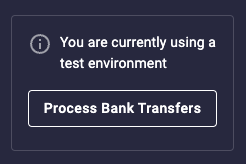
* **Option 2:** you'll use the "Process bank transfers button" in the Sandbox Dashboard, which will process or fail the last 500 bank transfers that occurred on your Sandbox account or any API `Customers` you manage.
If a bank-to-bank transaction is initiated between two users, you'll want to
simulate bank transfer processing twice in order to process both sides of the
transaction (debit and credit). Processing for bank transfers will also
include initiated micro-deposits. If your application is subscribed to webhooks, notifications will be sent, including all transfer or micro-deposit related events,
letting your application know that transfers have processed or failed.
#### Sandbox simulations request and response
```bash theme={"dark"}
POST https://api-sandbox.dwolla.com/sandbox-simulations
Accept: application/vnd.dwolla.v1.hal+json
Content-Type: application/vnd.dwolla.v1.hal+json
Authorization: Bearer {Your access token}
...
{
"_links": {
"self": {
"href": "https://api-sandbox.dwolla.com/sandbox-simulations",
"type": "application/vnd.dwolla.v1.hal+json",
"resource-type": "sandbox-simulation"
}
},
"total": 8
}
```
### Process bank transfers button
The [Dwolla Sandbox Dashboard](https://dashboard-sandbox.dwolla.com) provides a convenient way to simulate bank transfer processing. In the left-side navigation, locate and click the "Process bank transfers" button.
This button offers the same functionality as the "sandbox-simulations" endpoint (mentioned earlier) and allows you to simulate the processing of bank transfers within the Sandbox environment.
By clicking the button, Dwolla will process or fail the last 500 bank transfers associated with your Sandbox account or any API Customer accounts you manage.
### Simulate verification directives
You can test how your application handles specific embedded error codes (Verification Directives) in the Sandbox environment using the `/sandbox-simulations` endpoint. This allows you to simulate the Dwolla API returning a particular verification directive for a business Verified Customer.
This simulation can only be performed for customers that are in either `retry` or `document` status.
Learn more about the structure and meaning of these directives in the Understanding Verification Directives section.
The following error codes can be triggered:
* **PersonalIDRequired**
* **POBoxNotAllowed**
* **AddressNotAssociatedWithBusiness**
* **EINDocumentRequired**
To simulate one of these error codes:
1. Create a business Verified Customer in the Sandbox.
2. Make a POST request to the `/sandbox-simulations` endpoint with a request body like the following:
```bash HTTP theme={"dark"}
POST https://api-sandbox.dwolla.com/sandbox-simulations
Accept: application/vnd.dwolla.v1.hal+json
Content-Type: application/vnd.dwolla.v1.hal+json
Authorization: Bearer {Your access token}
{
"type": "customer-verification",
"_links": {
"customer": {
"href": "https://api-sandbox.dwolla.com/customers/{customer-id}"
}
},
"errorCode": "AddressNotAssociatedWithBusiness"
}
```
```ruby RUBY theme={"dark"}
# Using DwollaV2 - https://github.com/Dwolla/dwolla-v2-ruby (Recommended)
request_body = {
:type => "customer-verification",
:_links => {
:customer => {
:href => "https://api-sandbox.dwolla.com/customers/{customer-id}"
}
},
:errorCode => "AddressNotAssociatedWithBusiness"
}
simulation = app_token.post "sandbox-simulations", request_body
```
```python PYTHON theme={"dark"}
# Using dwollav2 - https://github.com/Dwolla/dwolla-v2-python (Recommended)
request_body = {
'type': 'customer-verification',
'_links': {
'customer': {
'href': 'https://api-sandbox.dwolla.com/customers/{customer-id}'
}
},
'errorCode': 'AddressNotAssociatedWithBusiness'
}
simulation = app_token.post('sandbox-simulations', request_body)
```
```javascript JAVASCRIPT theme={"dark"}
var requestBody = {
type: "customer-verification",
_links: {
customer: {
href: "https://api-sandbox.dwolla.com/customers/{customer-id}"
}
},
errorCode: "AddressNotAssociatedWithBusiness"
};
dwolla.post("sandbox-simulations", requestBody);
```
```php PHP theme={"dark"}
create([
'type' => 'customer-verification',
'_links' => [
'customer' => [
'href' => 'https://api-sandbox.dwolla.com/customers/{customer-id}'
]
],
'errorCode' => 'AddressNotAssociatedWithBusiness'
]);
?>
```
Replace `{customer-id}` with the ID of your Sandbox customer, and set `errorCode` to one of the supported values (e.g., `PersonalIDRequired`, `POBoxNotAllowed`, `AddressNotAssociatedWithBusiness`, or `EINDocumentRequired`).
After making this request, retrieve the Customer resource using the API. The specified error code will appear in the `_embedded.errors` array of the response, allowing you to test your application's handling of these verification directives.
# Testing Funding Sources
### Test bank account numbers
Dwolla requires a valid U.S. routing number and a random account number between 4-17 digits to add a bank account. For testing purposes, you can use the routing number `222222226` or refer to the list of routing numbers from the [Federal Reserve Bank Services](https://www.frbservices.org/EPaymentsDirectory/agreement.html) website.
### Test micro-deposit verification
If your application leverages the micro-deposit method of bank verification, Dwolla will transfer two deposits of less than `$0.10` to your customer's linked bank or credit union account after calling the API to initiate micro-deposits. Since the Sandbox environment doesn't replicate any bank transfer processes, any two amounts **below** `$0.10` will allow you to verify the funding source immediately. In Production, when the micro-deposits have finished processing, you will receive a `customer_microdeposits_completed` event. To trigger this event in Sandbox, you need to simulate bank transfer processing. Check out the [testing transfers](#testing-transfers) section for more information on how to simulate bank transfer processing in Sandbox.
Use our step-by-step guide to verify a funding-source with micro-deposits.
### Test micro-deposit failed verification attempts
When verifying a funding source using the micro-deposit method of bank verification, users are allowed **three attempts** to correctly input the two posted micro-deposit amounts. If the user fails to verify the two posted amounts on the third attempt, an event will be triggered and the funding source will not be verified using those micro-deposit amounts. To simulate the `microdeposits_maxattempts` or `customer_microdeposits_maxattempts` events in the Sandbox, use the amounts `0.09` and `0.09` when calling the API to verify micro-deposits. Reference the [micro-deposit verification](/docs/micro-deposit-verification#handle-failed-verification-attempts) guide for more information on handling failed verification attempts.
# Testing Transfers
The Sandbox environment does not replicate any bank transfer processes, so a pending transfer will not clear or fail automatically after a few business days as it would in production. The transfer will simply remain in the pending state indefinitely.
### Simulate bank transfer processing
There are two options available for processing or failing bank transfers in the Sandbox environment.
* **Option 1:** your application will call the "sandbox-simulations" endpoint (referenced below) which will process or fail the last 500 bank transfers that occurred on the authorized application or Sandbox account.
* **Option 2:** you'll use the "Process bank transfers button" in the Sandbox Dashboard, which will process or fail the last 500 bank transfers that occurred on your Sandbox account or any API `Customers` you manage.
If a bank-to-bank transaction is initiated between two users, you'll want to
simulate bank transfer processing twice in order to process both sides of the
transaction (debit and credit). Processing for bank transfers will also
include initiated micro-deposits. If your application is subscribed to webhooks, notifications will be sent, including all transfer or micro-deposit related events,
letting your application know that transfers have processed or failed.
#### Sandbox simulations request and response
```bash theme={"dark"}
POST https://api-sandbox.dwolla.com/sandbox-simulations
Accept: application/vnd.dwolla.v1.hal+json
Content-Type: application/vnd.dwolla.v1.hal+json
Authorization: Bearer {Your access token}
...
{
"_links": {
"self": {
"href": "https://api-sandbox.dwolla.com/sandbox-simulations",
"type": "application/vnd.dwolla.v1.hal+json",
"resource-type": "sandbox-simulation"
}
},
"total": 8
}
```
### Process bank transfers button
The [Dwolla Sandbox Dashboard](https://dashboard-sandbox.dwolla.com) provides a convenient way to simulate bank transfer processing. In the left-side navigation, locate and click the "Process bank transfers" button.
This button offers the same functionality as the "sandbox-simulations" endpoint (mentioned earlier) and allows you to simulate the processing of bank transfers within the Sandbox environment.
By clicking the button, Dwolla will process or fail the last 500 bank transfers associated with your Sandbox account or any API Customer accounts you manage.
 ### Test bank transfer failures
Transfers to or from a bank account can fail for a number of reasons (e.g. insufficient funds,
invalid account number, etc.). When a bank transfer fails, the associated financial institution that
rejected the transaction assigns an ACH return code and a transfer failure event is then triggered
in Dwolla. Dwolla allows you to trigger various bank transfer failures by specifying an “R” code in
the funding source `name` parameter when creating or
[updating a funding source](https://developers.dwolla.com/api-reference/funding-sources/update) for
a Dwolla Account or API Customer. When a
[transfer is initiated](https://developers.dwolla.com/api-reference/transfers/initiate) using a
funding source that has an “R” code assigned to its name, a transfer failure event will trigger and
the status will update to failed when you simulate bank transfer processing (as mentioned above).
Dwolla allows you to pass in a few different sentinel values that are used to test different bank
transfer failure scenarios. The list of available sentinel values cover the most common uses cases
where ACH return codes can be triggered in production.
#### List of codes for testing bank transfer failures
| Return code | Description |
| ----------- | ------------------------------------------------------------------------------------------------------------------------------------------------------------------------------------------------------------------------------------------------------------------------------------ |
| R01 | Insufficient Funds: This value is used to simulate funds failing from the source bank account (ACH debit). |
| R03 | No Account/Unable to Locate Account: This value is primarily used to simulate funds failing to the destination bank account (ACH credit). The funding source will be automatically removed from Dwolla when this return code is triggered. |
| R01-late | This value is used to simulate funds failing from the source bank account post-settlement. Note: You must click “Process bank transfers” twice in order to test this scenario. |
| R03-late | This value is primarily used to simulate funds failing to the destination bank post-settlement. The funding source will be automatically removed from Dwolla when this return code is triggered. Note: You must click “Process bank transfers” twice in order to test this scenario. |
Our concept article has more information on bank transfer failures, and a list of common return codes and actions.
#### Example of using a sentinel value for testing bank transfer failures
This example assumes that a funding source has already been attached to an account. Once the funding
source `name` has been updated to reflect the ACH failure scenario you want to test, then you can
[initiate a transfer](https://developers.dwolla.com/api-reference/transfers/initiate) to or from
that funding source via the API.
```bash HTTP theme={"dark"}
POST https://api-sandbox.dwolla.com/funding-sources/692486f8-29f6-4516-a6a5-c69fd2ce854c
Accept: application/vnd.dwolla.v1.hal+json
Content-Type: application/vnd.dwolla.v1.hal+json
Authorization: Bearer pBA9fVDBEyYZCEsLf/wKehyh1RTpzjUj5KzIRfDi0wKTii7DqY
...
{ "name": "R03" }
```
```ruby RUBY theme={"dark"}
funding_source_url = 'https://api-sandbox.dwolla.com/funding-sources/692486f8-29f6-4516-a6a5-c69fd2ce854c'
request_body = {
"name" => "R03",
}
# Using DwollaV2 - https://github.com/Dwolla/dwolla-v2-ruby (Recommended)
funding_source = app_token.post "#{funding_source_url}", request_body
funding_source.name # => "R03"
```
```php PHP theme={"dark"}
/**
* No example for this language yet. Coming soon.
**/
```
```python PYTHON theme={"dark"}
funding_source_url = 'https://api-sandbox.dwolla.com/funding-sources/692486f8-29f6-4516-a6a5-c69fd2ce854c'
request_body = {
'name': 'R03'
}
# Using dwollav2 - https://github.com/Dwolla/dwolla-v2-python (Recommended)
funding_source = app_token.post(funding_source_url, request_body)
funding_source.body['name'] # => 'R03'
```
```javascript JAVASCRIPT theme={"dark"}
var fundingSourceUrl =
'https://api-sandbox.dwolla.com/funding-sources/692486f8-29f6-4516-a6a5-c69fd2ce854c';
var requestBody = {
name: 'R03',
};
dwolla.post(fundingSourceUrl, requestBody).then((res) => res.body.name); // => "R03"
```
# Testing Virtual Account Numbers
Virtual Account Numbers (VANs) allow you to simulate external ACH transactions flowing into and out of Dwolla balances. The Sandbox environment provides specialized endpoints for testing VAN functionality without real money movement.
To request Sandbox access to test VANs, please contact{' '}
[support@dwolla.com](mailto:support@dwolla.com).
### Simulate VAN transfers
External transfers can be simulated in the Dwolla Sandbox by using the `sandbox-simulations` endpoint with a request body that includes a `type` field set to `virtual` and a `transfers` field with a list of transfers to process. Up to 10 transfers at a time can be included in one call to the sandbox simulations endpoint. Transfers will be created and processed immediately.
#### VAN transfer simulation request
```bash theme={"dark"}
POST https://api-sandbox.dwolla.com/sandbox-simulations
Accept: application/vnd.dwolla.v1.hal+json
Content-Type: application/vnd.dwolla.v1.hal+json
Authorization: Bearer {Your access token}
{
"type": "virtual",
"transfers": [
{
"_link": {
"destination": {
"href": "https://api-sandbox.dwolla.com/funding-sources/5880e310-675a-4ce3-87d9-a475cc565e09"
}
},
"amount": {
"currency": "USD",
"value": "1.11"
}
}
]
}
...
HTTP/1.1 202 Accepted
```
### Test VAN transfer failures
Similar to [testing ACH bank transfer failures](#test-bank-transfer-failures), you can test a transfer failure with a virtual account number by specifying an "R" code in the `name` parameter when creating a VAN (e.g. "R01"). The return code must be at the beginning of the VAN funding source's name. **Note:** the name is not case sensitive.
#### List of codes for testing VAN transfer failures
| Code | Description | When is the failure triggered? |
| ---- | -------------------------------------------------------------------------------------------------------------------------------------------------------------------------------------------------------------------------------------- | ------------------------------------------ |
| R01 | Insufficient Funds: This value is used to simulate funds failing from the source bank account (ACH debit). | During processing of pending transactions. |
| R02 | No Account/Unable to Locate Account: This value is primarily used to simulate funds failing to the destination bank account (credit). The funding source will be automatically removed from Dwolla when this return code is triggered. | During processing of pending transactions. |
### Test bank transfer failures
Transfers to or from a bank account can fail for a number of reasons (e.g. insufficient funds,
invalid account number, etc.). When a bank transfer fails, the associated financial institution that
rejected the transaction assigns an ACH return code and a transfer failure event is then triggered
in Dwolla. Dwolla allows you to trigger various bank transfer failures by specifying an “R” code in
the funding source `name` parameter when creating or
[updating a funding source](https://developers.dwolla.com/api-reference/funding-sources/update) for
a Dwolla Account or API Customer. When a
[transfer is initiated](https://developers.dwolla.com/api-reference/transfers/initiate) using a
funding source that has an “R” code assigned to its name, a transfer failure event will trigger and
the status will update to failed when you simulate bank transfer processing (as mentioned above).
Dwolla allows you to pass in a few different sentinel values that are used to test different bank
transfer failure scenarios. The list of available sentinel values cover the most common uses cases
where ACH return codes can be triggered in production.
#### List of codes for testing bank transfer failures
| Return code | Description |
| ----------- | ------------------------------------------------------------------------------------------------------------------------------------------------------------------------------------------------------------------------------------------------------------------------------------ |
| R01 | Insufficient Funds: This value is used to simulate funds failing from the source bank account (ACH debit). |
| R03 | No Account/Unable to Locate Account: This value is primarily used to simulate funds failing to the destination bank account (ACH credit). The funding source will be automatically removed from Dwolla when this return code is triggered. |
| R01-late | This value is used to simulate funds failing from the source bank account post-settlement. Note: You must click “Process bank transfers” twice in order to test this scenario. |
| R03-late | This value is primarily used to simulate funds failing to the destination bank post-settlement. The funding source will be automatically removed from Dwolla when this return code is triggered. Note: You must click “Process bank transfers” twice in order to test this scenario. |
Our concept article has more information on bank transfer failures, and a list of common return codes and actions.
#### Example of using a sentinel value for testing bank transfer failures
This example assumes that a funding source has already been attached to an account. Once the funding
source `name` has been updated to reflect the ACH failure scenario you want to test, then you can
[initiate a transfer](https://developers.dwolla.com/api-reference/transfers/initiate) to or from
that funding source via the API.
```bash HTTP theme={"dark"}
POST https://api-sandbox.dwolla.com/funding-sources/692486f8-29f6-4516-a6a5-c69fd2ce854c
Accept: application/vnd.dwolla.v1.hal+json
Content-Type: application/vnd.dwolla.v1.hal+json
Authorization: Bearer pBA9fVDBEyYZCEsLf/wKehyh1RTpzjUj5KzIRfDi0wKTii7DqY
...
{ "name": "R03" }
```
```ruby RUBY theme={"dark"}
funding_source_url = 'https://api-sandbox.dwolla.com/funding-sources/692486f8-29f6-4516-a6a5-c69fd2ce854c'
request_body = {
"name" => "R03",
}
# Using DwollaV2 - https://github.com/Dwolla/dwolla-v2-ruby (Recommended)
funding_source = app_token.post "#{funding_source_url}", request_body
funding_source.name # => "R03"
```
```php PHP theme={"dark"}
/**
* No example for this language yet. Coming soon.
**/
```
```python PYTHON theme={"dark"}
funding_source_url = 'https://api-sandbox.dwolla.com/funding-sources/692486f8-29f6-4516-a6a5-c69fd2ce854c'
request_body = {
'name': 'R03'
}
# Using dwollav2 - https://github.com/Dwolla/dwolla-v2-python (Recommended)
funding_source = app_token.post(funding_source_url, request_body)
funding_source.body['name'] # => 'R03'
```
```javascript JAVASCRIPT theme={"dark"}
var fundingSourceUrl =
'https://api-sandbox.dwolla.com/funding-sources/692486f8-29f6-4516-a6a5-c69fd2ce854c';
var requestBody = {
name: 'R03',
};
dwolla.post(fundingSourceUrl, requestBody).then((res) => res.body.name); // => "R03"
```
# Testing Virtual Account Numbers
Virtual Account Numbers (VANs) allow you to simulate external ACH transactions flowing into and out of Dwolla balances. The Sandbox environment provides specialized endpoints for testing VAN functionality without real money movement.
To request Sandbox access to test VANs, please contact{' '}
[support@dwolla.com](mailto:support@dwolla.com).
### Simulate VAN transfers
External transfers can be simulated in the Dwolla Sandbox by using the `sandbox-simulations` endpoint with a request body that includes a `type` field set to `virtual` and a `transfers` field with a list of transfers to process. Up to 10 transfers at a time can be included in one call to the sandbox simulations endpoint. Transfers will be created and processed immediately.
#### VAN transfer simulation request
```bash theme={"dark"}
POST https://api-sandbox.dwolla.com/sandbox-simulations
Accept: application/vnd.dwolla.v1.hal+json
Content-Type: application/vnd.dwolla.v1.hal+json
Authorization: Bearer {Your access token}
{
"type": "virtual",
"transfers": [
{
"_link": {
"destination": {
"href": "https://api-sandbox.dwolla.com/funding-sources/5880e310-675a-4ce3-87d9-a475cc565e09"
}
},
"amount": {
"currency": "USD",
"value": "1.11"
}
}
]
}
...
HTTP/1.1 202 Accepted
```
### Test VAN transfer failures
Similar to [testing ACH bank transfer failures](#test-bank-transfer-failures), you can test a transfer failure with a virtual account number by specifying an "R" code in the `name` parameter when creating a VAN (e.g. "R01"). The return code must be at the beginning of the VAN funding source's name. **Note:** the name is not case sensitive.
#### List of codes for testing VAN transfer failures
| Code | Description | When is the failure triggered? |
| ---- | -------------------------------------------------------------------------------------------------------------------------------------------------------------------------------------------------------------------------------------- | ------------------------------------------ |
| R01 | Insufficient Funds: This value is used to simulate funds failing from the source bank account (ACH debit). | During processing of pending transactions. |
| R02 | No Account/Unable to Locate Account: This value is primarily used to simulate funds failing to the destination bank account (credit). The funding source will be automatically removed from Dwolla when this return code is triggered. | During processing of pending transactions. |

 ### Simulate verification directives
You can test how your application handles specific embedded error codes (Verification Directives) in the Sandbox environment using the `/sandbox-simulations` endpoint. This allows you to simulate the Dwolla API returning a particular verification directive for a business Verified Customer.
### Simulate verification directives
You can test how your application handles specific embedded error codes (Verification Directives) in the Sandbox environment using the `/sandbox-simulations` endpoint. This allows you to simulate the Dwolla API returning a particular verification directive for a business Verified Customer.