> ## Documentation Index
> Fetch the complete documentation index at: https://developers.dwolla.com/llms.txt
> Use this file to discover all available pages before exploring further.
# Bank Funding Source
> Learn about the different methods of adding and verifying a bank funding source to a Customer account.
## Overview
There are many different ways for a Customer to add a bank account on Dwolla's platform. Choosing the approach that is ideal for your application depends on a number of factors, such as speed and/or user experience. As you think about the different method(s) to attach a bank account, you will need to consider which one best suits the use case of your business' application.
#### Bank Addition
Adding a bank account to a Customer account. If a business wants to allow for adding but not require verifying the bank account, the funding source will remain in an `unverified` status and will only be allowed to receive funds.
#### Bank Verification
Verifying a bank account. This step is required before a Customer can send funds using their Customer account. This can be accomplished either (1) at the time the bank account is added via [Open Banking](/docs/open-banking), [Secure Exchange](/docs/secure-exchange) or a Third-party Provider, or (2) after attaching a bank by verifying it with microdeposits.
## Bank Account Types
Dwolla supports traditional `checking` and `savings` accounts to be added and verified by default. Other supported account types include `loan` and `general-ledger`, the use of which require review and approval by Dwolla.
The table below details a high level overview of the different methods supported by Dwolla for adding a bank funding source.
| Bank Addition Method | Automatic Verified Status (i.e. Eligible to Send Funds) | Information Required | U.S Bank Coverage | Supported Bank Account Types | Other features |
| -------------------------------------------------------------------------------- | ------------------------------------------------------- | ------------------------------------------ | ----------------- | ------------------------------------------------------------ | ---------------------------------------------------------------------------------------------------------------------- |
| [Dwolla API](/docs/api-reference/funding-sources/create-customer-funding-source) | No | Bank Account Number,
Routing number | 100% | Checking,
Savings,
Loan,
General Ledger | Optional bank verification with [Microdeposits](/docs/micro-deposit-verification) |
| [Dwolla + Open Banking](/docs/open-banking) | Yes | Online banking credentials | \~85% | Checking, Savings | Secure, streamlined user experience.
Real-time account verification |
| [Drop-in components](/docs/drop-in-components#create-a-funding-source) | No | Bank Account Number,
Routing number | 100% | Checking,
Savings | Tokenized data,
Optional bank verification with [Microdeposits](/docs/drop-in-components#verify-micro-deposits) |
| [Dwolla + Secure Exchange solution](/docs/api-reference/exchanges) | Yes | Online banking credentials | \~85% | Checking,
Savings | [Tokenized integration](/docs/secure-exchange) |
| Other Approved Third-party Provider | Yes, if part of third party offering | Variable | Variable | Variable | Variable |
As you decide on the various methods for adding a funding-source, a good thing to keep in mind is that a transfer between two parties requires the sending party to have a verified bank account. Bank account verification prior to sending funds is required by the ACH network.
## Bank Addition + Verification methods
### Dwolla + Open Banking
**The use case:**
I want my users to add a bank account using Open Banking, leveraging real-time, secure access to their financial data directly from their bank. I want to access the capabilities of leading providers like Plaid and MX, for their seamless integration and UI experience, without having to manage multiple API integrations. I need instant account verification without the need for microdeposits or manual entry of account details.
**Tell me more**
Dwolla's pre-built connections streamline development by tailoring Open Banking features and functionality specifically for payments use cases, saving valuable development time and reducing complexity. This method supports real-time account verification, meaning that the bank account is automatically verified and ready to send and receive funds immediately after being added.
**Ready to build?**
If you're looking to integrate Open Banking into your application, start by exploring our Open Banking API documentation. You'll find everything you need to get set up.
### Add a Bank via the API and verify using Microdeposits
**The use case:**
I want to add a U.S. bank account by supplying an account and routing number. The bank will be unverified until microdeposits are [initiated](/docs/api-reference/funding-sources/initiate-or-verify-micro-deposits) and [verified](/docs/api-reference/funding-sources/initiate-or-verify-micro-deposits).
This is commonly implemented for receive-only "payout" use cases where users are receiving funds, but not sending.
**Tell me more**
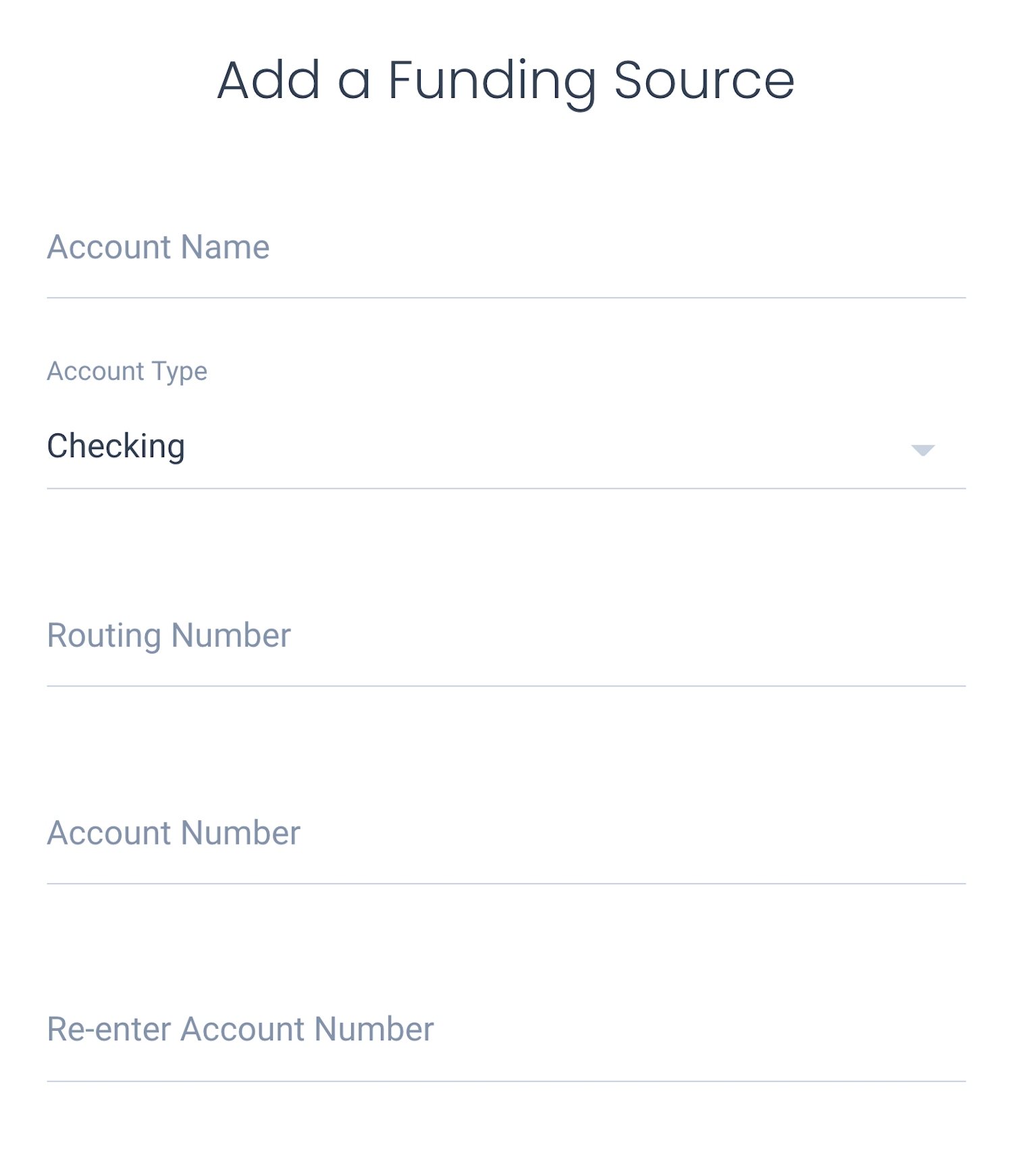
Using the Dwolla API you can add an unverified funding source to a [Customer](/docs/api-reference/funding-sources/create-customer-funding-source) as well as your [Main Account](/docs/api-reference/accounts/create-a-funding-source-for-an-account). Additionally, you can manually add an unverified bank funding source to your Master Dwolla Account or your end users directly from the [Dwolla Dashboard](https://www.dwolla.com/platform/dashboard/).
 **Ready to build?**
Adding a bank with the Dwolla API is easy. Take a look at our documentation to learn more about this process. After adding a bank via the API, you can leave it unverified if you will only be sending funds to it. If you or your user will be sending funds from the bank account, you can verify it using microdeposits.
### Drop-in Components
Dwolla's [drop-in components](/docs/drop-in-components) library offers a convenient way for you to integrate specific functionalities or streamline workflows within your web application, providing a swift path to integrating with the Dwolla Platform. Each component is self-contained, comprising HTML, CSS, and JavaScript, allowing for easy customization to match your application's look and feel.
By using the [`dwolla-funding-source-create`](/docs/drop-in-components#create-a-funding-source) component, you can securely transmit sensitive data (bank account number and routing number) from your application's front-end to Dwolla without it passing through your server.
**The use case:**
I want my end users to attach a bank using their account and routing number with the added security of a tokenized implementation. I do not need the bank to be in a `verified` status, but may choose to utilize the [microdeposits verification](/docs/micro-deposit-verification) method, if needed.
This is commonly implemented for businesses that are paying out to this bank account.
**Tell me more**
Use the [`dwolla-funding-source-create`](/docs/drop-in-components#create-a-funding-source) component in your application to collect bank account number, routing number, bank account type and a name. The form generated via tha drop-in component has built-in validation that will trigger an error if any of the required fields are invalid.
Optionally, you can have the component initiate microdeposits as well. Once microdeposits have completed, you can use the [`dwolla-micro-deposits-verify`](/docs/drop-in-components#verify-micro-deposits) component to collected verification from your users, or build your own form to collect microdeposit amounts from Customers and use the [API endpoint](/docs/api-reference/funding-sources/initiate-or-verify-micro-deposits) directly to submit and verify the amounts.
**Ready to build?**
Follow the [Building with Drop-in components](/docs/drop-in-components/building-with-drop-ins) guide to get set up with using the library in your application.
## Other Considerations
While these methods of bank addition and bank verification are fine to use separately, know that you are not limited to a single option. For instance, when you are using Plaid to verify Customers' bank accounts, there may be financial institutions not supported by Plaid. Implementing a fallback method is always an option (e.g. microdeposits).
You are also not limited to these four methods. If you want to utilize a different third-party provider to verify a bank account before adding it to your Dwolla Customer, we can support providers who meet the requirements and are approved by the Dwolla team.
Have a different preferred bank authentication provider you want to use? Reach out to our team to learn more on getting approved.
## Wrap-up
Much like choosing the correct Customer type, considering and choosing the bank addition methods in your application will have a large impact in the functionality of your integration with Dwolla. From the functionality of verifying a bank account, to the preference in user experience, each method provides its own offerings to ensure your application can provide the desired level of service to your end users.
**Ready to build?**
Adding a bank with the Dwolla API is easy. Take a look at our documentation to learn more about this process. After adding a bank via the API, you can leave it unverified if you will only be sending funds to it. If you or your user will be sending funds from the bank account, you can verify it using microdeposits.
### Drop-in Components
Dwolla's [drop-in components](/docs/drop-in-components) library offers a convenient way for you to integrate specific functionalities or streamline workflows within your web application, providing a swift path to integrating with the Dwolla Platform. Each component is self-contained, comprising HTML, CSS, and JavaScript, allowing for easy customization to match your application's look and feel.
By using the [`dwolla-funding-source-create`](/docs/drop-in-components#create-a-funding-source) component, you can securely transmit sensitive data (bank account number and routing number) from your application's front-end to Dwolla without it passing through your server.
**The use case:**
I want my end users to attach a bank using their account and routing number with the added security of a tokenized implementation. I do not need the bank to be in a `verified` status, but may choose to utilize the [microdeposits verification](/docs/micro-deposit-verification) method, if needed.
This is commonly implemented for businesses that are paying out to this bank account.
**Tell me more**
Use the [`dwolla-funding-source-create`](/docs/drop-in-components#create-a-funding-source) component in your application to collect bank account number, routing number, bank account type and a name. The form generated via tha drop-in component has built-in validation that will trigger an error if any of the required fields are invalid.
Optionally, you can have the component initiate microdeposits as well. Once microdeposits have completed, you can use the [`dwolla-micro-deposits-verify`](/docs/drop-in-components#verify-micro-deposits) component to collected verification from your users, or build your own form to collect microdeposit amounts from Customers and use the [API endpoint](/docs/api-reference/funding-sources/initiate-or-verify-micro-deposits) directly to submit and verify the amounts.
**Ready to build?**
Follow the [Building with Drop-in components](/docs/drop-in-components/building-with-drop-ins) guide to get set up with using the library in your application.
## Other Considerations
While these methods of bank addition and bank verification are fine to use separately, know that you are not limited to a single option. For instance, when you are using Plaid to verify Customers' bank accounts, there may be financial institutions not supported by Plaid. Implementing a fallback method is always an option (e.g. microdeposits).
You are also not limited to these four methods. If you want to utilize a different third-party provider to verify a bank account before adding it to your Dwolla Customer, we can support providers who meet the requirements and are approved by the Dwolla team.
Have a different preferred bank authentication provider you want to use? Reach out to our team to learn more on getting approved.
## Wrap-up
Much like choosing the correct Customer type, considering and choosing the bank addition methods in your application will have a large impact in the functionality of your integration with Dwolla. From the functionality of verifying a bank account, to the preference in user experience, each method provides its own offerings to ensure your application can provide the desired level of service to your end users.